Hey folks,

Last week I showed you how to set up Cowork with the right folder structure and context files. That was the foundation.

This week is about what you build on top of it.

Skills are saved instructions that Claude activates on its own. You don't call them or paste them in. You just ask for what you want, and Claude figures out which Skill to run.

I'll walk you through building them properly, the pre-built Skills worth installing right now, and the common mistakes that keep Skills from ever firing. I'll also share some places to browse and steal Skills other people have already built.

If you set up Cowork last week, this is the natural next step. If you didn't, this issue still stands on its own.

Let’s dive in..

Together with UseKase

Ship Your 1st App In 48 Hours​

Ready to turn an idea into a real, live app? Join us for two focused evenings where you’ll build and deploy your first application using AI. No coding background needed.

​​In this hands-on, in-person hackathon, we cut through the fluff and focus on shipping. You’ll go from concept to a deployed app with a real URL in just two evenings. You’ll learn an AI-first way of building products that actually works.

👥 Who This Is For

  • ​​You don’t need to be a developer. You just need curiosity and a laptop.

  • ​​Aspiring builders with ideas they’ve never shipped.

  • ​​Product managers and designers who want to prototype without waiting on engineers.

  • ​​Career switchers exploring tech through hands-on building.

  • ​​Founders who want to validate ideas quickly.

Discount Code: Use BTB upon checkout for a 20% discount

What Are Claude Skills?

Claude Skills with Sunglasses

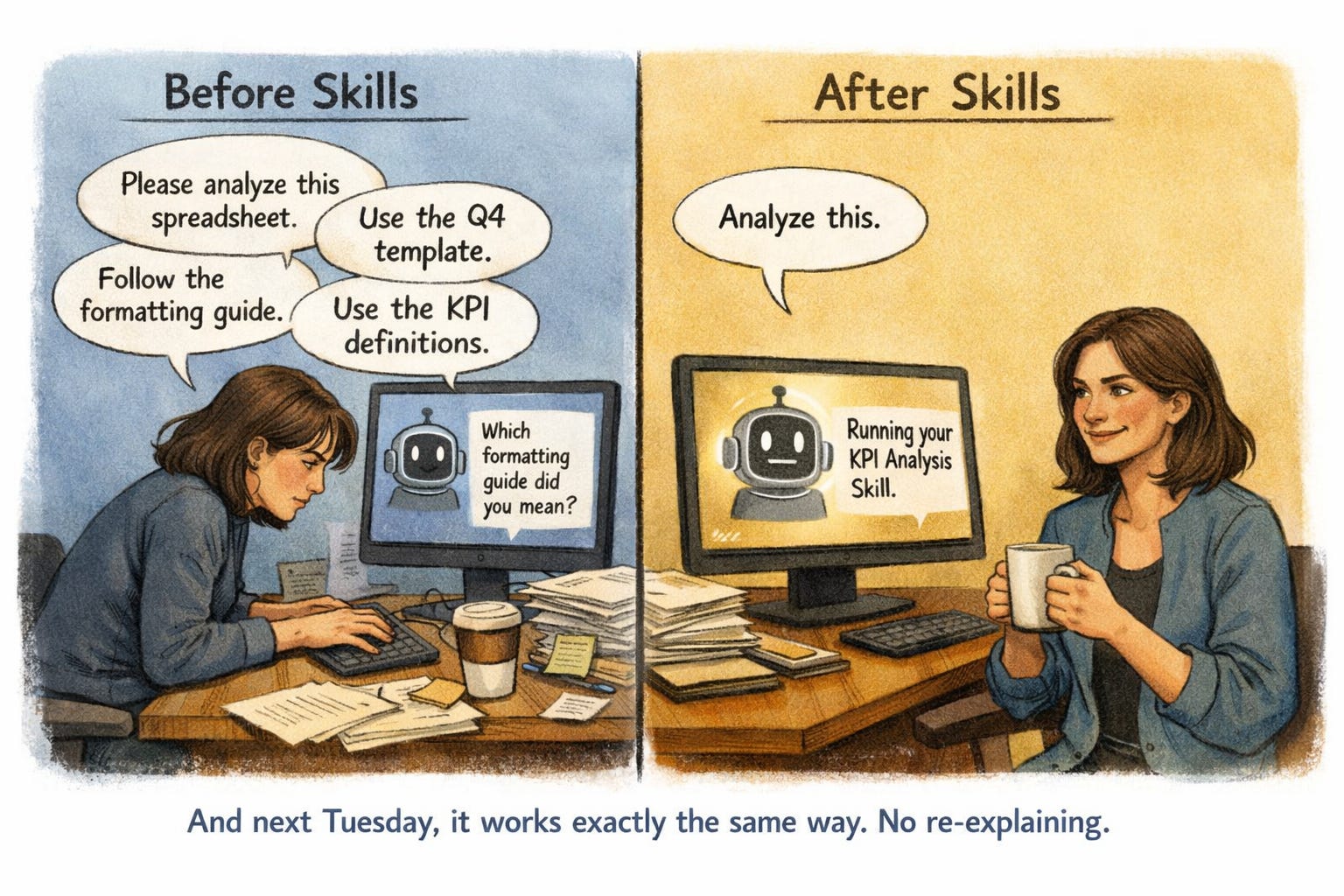
Every time you open Claude, you start over. You re-explain your role, your preferences, how you like things written. Skills fix that.

A Skill is a saved set of instructions that Claude activates automatically based on what you ask. Think of it like training an assistant once so you never repeat yourself. You say "write me a LinkedIn post" and Claude already knows your voice and your preferences. No pasting, no re-explaining. It just runs.

The progression looks like this:
Level 1: Long prompts where you explain everything each time
Level 2: Uploading reference files at the start of each chat
Level 3: Skills that fire automatically, no prompting required

Here's why that matters: you stop being a translator between your intent and Claude's input box. You just ask for the thing. Claude figures out which process to run.

What you need:
✓ Claude Pro account ($20/month)
✓ Claude desktop app with Cowork enabled

Best for: Anyone doing recurring work with Claude: weekly reports, client deliverables, social posts, that kind of thing. If you only use Claude for one-off questions, Skills are overkill.

Build Your First Skill (Two Options)

Skills upload in Claude Desktop

Option A: Let Claude Build It For You

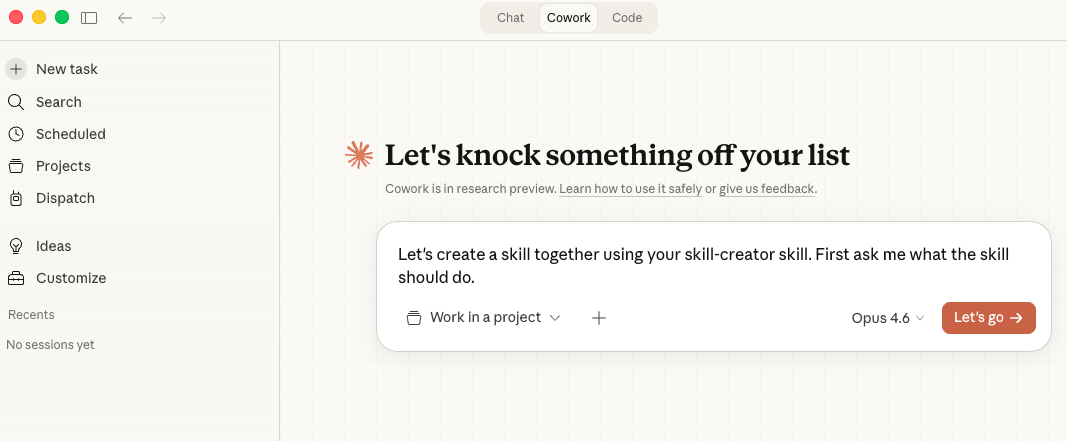
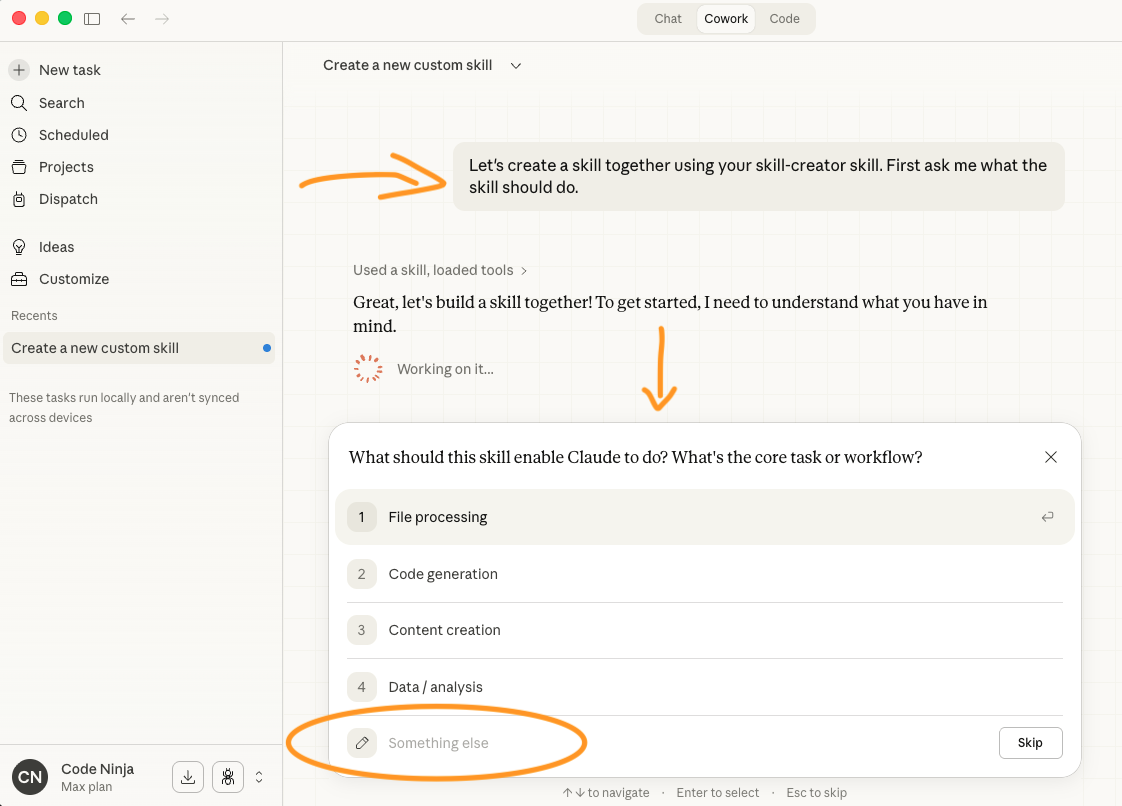
This is the easiest path. Open a Cowork session with Opus and Extended Thinking turned on, then type:

Let's create a skill together using your skill-creator skill. First ask me what the skill should do.

Claude will interview you: your audience, format preferences, mistakes to avoid. The specificity of your answers determines the quality of the Skill. "I write LinkedIn posts" is vague. "I write 150-word LinkedIn posts for product managers, always opening with a bold claim and closing with a question" gives Claude actual constraints to work with.

Once it generates the Skill, review it before installing. Ask Claude: "Walk me through what this Skill will do step by step." Make sure it matches what you actually want.

Pro tip: After building a Skill, test it with an unrelated request first. If Claude activates it when it shouldn't, the trigger description is too broad.

Option B: Convert a Past Conversation

Already had a great session where Claude nailed something? You can turn that into a reusable Skill. Open a Cowork session and say:

Look at [conversation/file] and convert
the workflow into a reusable Skill

I was skeptical about this one, but it works well. Claude reverse-engineers what made that conversation good and packages it into repeatable instructions.

Installing Your Skill

Once your Skill file is ready:
• Open Claude desktop
• Go to Customize → Skills → + Create Skill
• Upload a Skill
• Upload your file. Done. It's active immediately.

Watch out: Skills only work in the Claude desktop app with Cowork. They won't fire in the browser or mobile app.

Skills Worth Stealing Right Now

skills.sh directory

One thing worth knowing: skills aren't locked to one platform. The same .md skill file works across Claude, ChatGPT, Gemini, and other agents. A viral list of 20 agentic skills made the rounds this week, and most of them are free. Here are the ones worth your time if you're not a developer:

DOCX / PPTX / XLSX / PDF. Official Anthropic skills for creating and editing Microsoft Office files and PDFs. You can go from "build me a slide deck summarizing Q1 results" to an actual PowerPoint file without touching the app. These tend to be the ones that click fastest for non-technical users.

Browser Use. Gives your agent a web browser. It can navigate sites, fill forms, and pull content from pages that don't have clean copy-paste. Good for research workflows where you'd otherwise be clicking through 20 tabs.

Social Content Writer. Crafts social media posts with platform-specific formatting and tone. Part of a larger marketing skills pack that also includes copywriting and email templates.

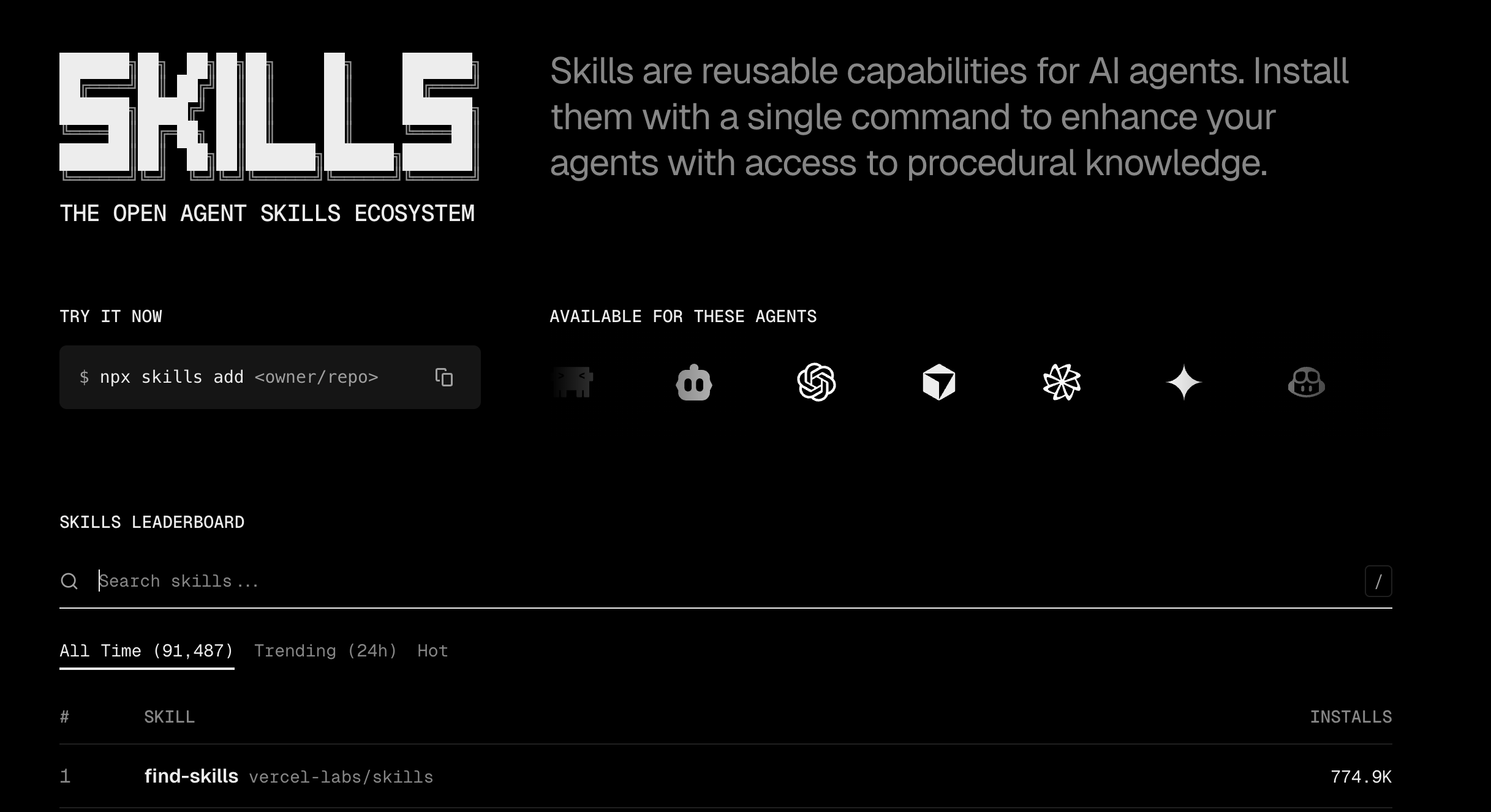
skills.sh. Not a single skill, but the entire library. Over 91,000 installs across hundreds of skills for Claude, Cursor, Copilot, and other agents. Browse by category, install with one command.

Frontend Design. Gives your agent a design system before it writes anything visual. Bold aesthetics, typography, color palettes. If you've ever asked Claude to build a quick webpage and gotten something ugly, this fixes that.

Where to find them: The official Anthropic skills live at github.com/anthropics/skills (110K+ GitHub stars) and install from Claude's plugin browser. For community-built skills, browse VoltAgent/awesome-agent-skills (1,060+ skills and growing).

5 Things Most People Get Wrong

Claude Skills - before and after

1. Vague descriptions kill your Skill

Claude decides whether to activate a Skill based on its description. If your description says "helps with writing," Claude has no idea when to use it. Be surgical: "Generates LinkedIn posts in my personal voice for product management audiences" gives Claude a clear trigger.

2. Tell it what NOT to do

Negative instructions matter more than positive ones. "Do NOT use this for email drafts or meeting notes" prevents your LinkedIn Skill from hijacking every writing request. If a Skill keeps activating when it shouldn't, add more exclusions.

3. Skills stack with voice files

Your Skill handles the process. Your voice file (like the humanizer from our Cowork guide) handles personality. They run together automatically. The Skill is the recipe, the voice file is the seasoning.

4. They don't load until needed

Claude only reads the Skill's title and description upfront. The full instructions load when it matches your request. So having 10 Skills installed doesn't slow anything down. Only the relevant one wakes up.

5. Debug by asking Claude directly

Not sure if your Skill is working? Ask: "When would you use my [Skill name] skill?" Claude will tell you what triggers it. If the answer doesn't match your intent, rewrite the description.

Pro tip: Skills produce an 80% draft, not a finished product. Expect to edit the output. The time savings come from not having to explain everything from scratch each time.

Try This in 5 Minutes

Creating a new Claude Skill

Pick one task you repeat weekly. A status update email. A social media post. A client summary. Something where you keep explaining the same context to Claude.

Open Cowork with Extended Thinking. Ask Claude to build a Skill for that task using the skill-creator. Spend 5 minutes answering the interview questions. Be specific about format, audience, and what to avoid.

Install it, then run two tests: your usual request (Skill should fire) and something unrelated (Skill should stay quiet). The whole thing takes about 10 minutes.

Once it clicks, you'll want to build more. Resist the urge. Get the first one dialed in before expanding.

Don't want to build from scratch? Browse these.

Once your first Skill works, you'll probably want more. Before building everything yourself, check what already exists:

skills.sh. The biggest directory out there. Over 91,000 installs across skills for Claude Code, Cursor, Copilot, and other agents. Think of it as an app store for AI workflows. One-command install.

makemyskill.com. Describe what you want, get a downloadable Skill file. Good for people who don't want to go through Claude's interview process.

Code Simplifier. Simplifies and refines code for clarity, consistency, and maintainability while preserving all functionality. Focuses on recently modified code unless instructed otherwise.

Claude's built-in plugins. Settings → Customize → Skills - Browse inside Cowork. Pre-built skills for marketing, research, writing, and sales. Easy to miss if you haven't poked around the settings.

The skills ecosystem is still early and a bit scattered. These four cover most of what's out there right now.

👉 Know someone drowning in AI news? Forward this to them or send your unique referral link

Cheers, Tim

Keep Reading