| |
|
The tests
|
| |
|
Lead triage: a diagnostic, not a list
|
| |
|
| |
|
I asked /small-business:lead-triage to rank my top 5 leads to chase this week.
|
| |
|
Before it produced a single name, it stopped and named a structural problem. My HubSpot has thousands of contacts at lifecycle stage Lead, almost none with fresh engagement signals.
|
| |
|
"That's a prospecting database, not a pipeline."
|
|
| |
|
Which I already knew, in the way you know things you've been avoiding. The skill called the bluff inside 60 seconds.
|
| |
|
Then it told me how it would compensate. Without engagement signal, ranking collapses onto title quality, recency, and outreach volume invested. It pulled the most-recently-touched 100 leads, scored from there, and gave me 5 names each with a tailored chase rationale.
|
| |
|
Top of the list: a CEO at a content-publishing software company, with the note "a CEO sitting at lifecycle stage Lead is a rare asset, treat as personalised outreach." Specific. Defensible.
|
| |
|
It also caught a name I'd messaged the day before and told me, plainly, not to chase.
|
| |
|
"Wait 3 to 5 business days. If silent, re-warmer."
|
|
| |
|
That single line is worth the skill on its own. Following up on a 22-hour-old email makes you look chaotic. Yes, I've absolutely done it before.
|
| |
|
Then it offered 2 moves higher-leverage than the triage: draft personalised outreach for the 5, run /small-business:crm-cleanup on the stale-but-well-titled segment. I asked for a list. It returned a workflow.
|
| |
|
That's the catch that earns the slot.
|
| |
|
For your team: before running an AI tool on your CRM, ask it to diagnose your data first. If it can't tell you whether your pipeline is a pipeline, the rest of the output is theatre.
|
|
| |
|
|
| |
|
Contract review: the special-condition catch
|
| |
|
| |
|
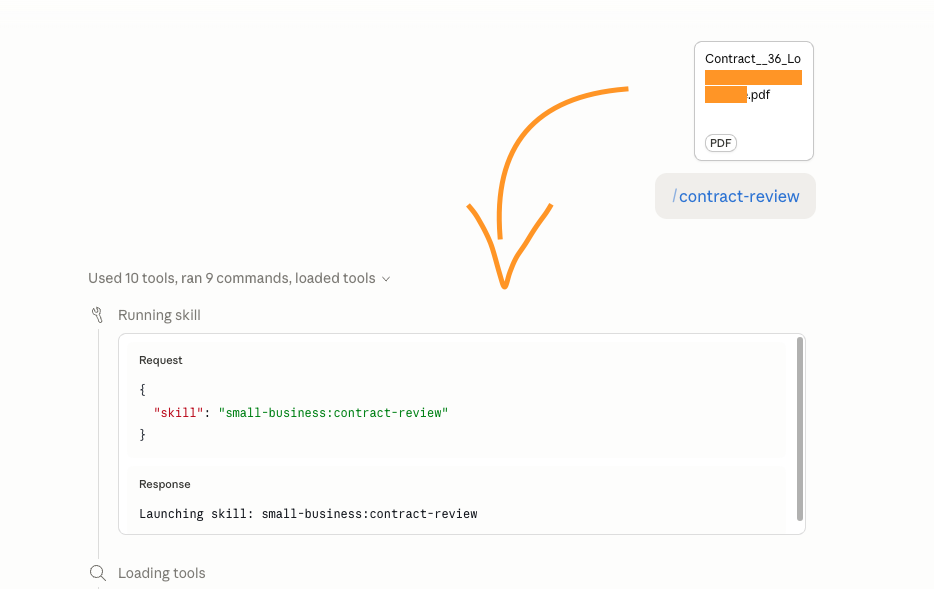
I dropped a multi-page purchase contract into /small-business:review-contract. The form was a regulated industry template, so I expected the review to feel generic.
|
| |
|
It didn't. The skill identified the form, named the convention of not flagging body clauses unless something unusual sits on top, and focused on what actually mattered: the reference schedule and the special conditions.
|
| |
|
Which is the right framing. Most contract tools flag everything theoretically risky, and you end up with a 40-point list and no signal.
|
| |
|
The catch: a single special condition that directed the buyer's solicitor to pay the seller's agent's commission directly out of settlement funds. Unusual. Aggressive.
|
| |
|
The skill flagged it, explained the professional indemnity problem it creates for the buyer's solicitor, and gave me the cleaner alternative to ask for.
|
| |
|
It cited specific clause numbers (4.1, 4.2, 7.9, 8.1, 9.9) through the rest of the review, each paired with the actual termination consequence it carried. It also produced a negotiation playbook: what to ask for, how to frame it, what compromise was reasonable.
|
| |
|
What it didn't do: pretend to be a lawyer.
|
| |
|
"This is not legal advice, talk to your solicitor before acting."
|
|
| |
|
Knowing what it isn't is part of why I trust what it is.
|
| |
|
Review quality is matchable elsewhere. The keeper is that the doc and the review now live in my Cowork context for the next contract.
|
| |
|
For your team: drop the next contract you receive into review-contract before it lands with your lawyer. It won't replace the legal review. It surfaces the special conditions so you walk into the lawyer call knowing which lines to push back on.
|
|
| |
|
|
| |
|
Two briefs, same engine
|
| |

|
| |
|
I ran the same cross-source synthesis twice this week. Monday with thin connectors. Friday with HubSpot added. Same engine, different substrate.
|
| |
|
/small-business:business-pulse on Monday produced a "this is what your week looks like" picture: a contract that needed signing, my unfinished BTB draft, a Saturday calendar conflict, a strategy deck buried in Drive that could seed an issue.
|
| |
|
The finance sections were dark, and the skill said so cleanly.
|
| |
|
"Cash and receivables, not available, QuickBooks not connected."
|
|
| |
|
Not a graceful blur. A named gap.
|
| |
|
/small-business:friday-brief on Saturday with HubSpot added produced something else: 4 named closed-won deals across APAC and US, rough USD-equivalent total with the FX caveat the skill computed and disclosed.
|
| |
|
It flagged that an overnight bulk-modification had distorted last-modified timestamps, and explained why it filtered on close-date instead. Methodology before any number. Analyst behaviour.
|
| |
|
The weird part: same engine, generic at thin-stack and specific at thicker-stack. Why? Connector inventory. That's the whole answer.
|
| |
• One finance connector wired, you get a planner
• HubSpot wired, you get an analyst
• The connector inventory is the throttle
|
| |
|
Small thing I keep coming back to: the Friday Brief surfaced the contract I'd reviewed earlier, and already knew it was executed. Not because I told it. Because the review had become part of my Cowork context.
|
| |
|
These aren't really separate tools. They're 1 tool with shared memory.
|
| |
|
For your team: treat your connector inventory as the leverage, not the skill list. Every tool you wire upgrades every brief, every forecast, every triage at the same time.
|
|
| |
|
|
| |
|
Cash flow: half a tool, honestly so
|
| |
|
| |
|
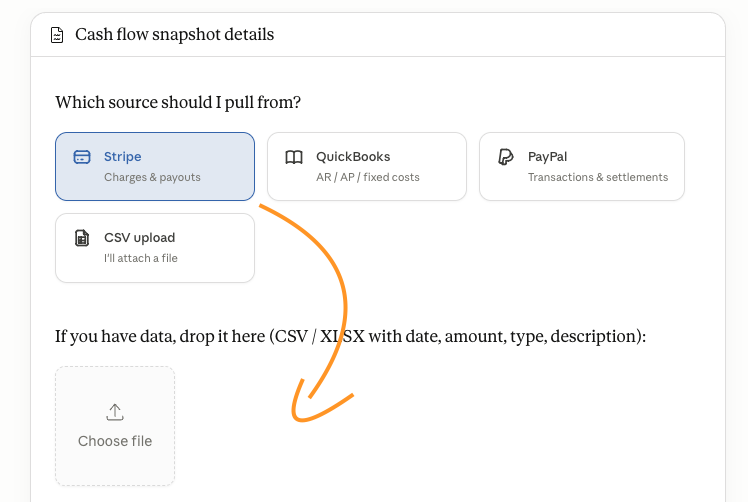
Ran /small-business:cash-flow-snapshot with Stripe only, no QuickBooks.
|
| |
|
First sentence of the output, before any numbers:
|
| |
|
"This is an inflow-only forecast. Stripe doesn't carry vendor bills, payroll, or fixed costs, so I can model what's coming in but not what's going out."
|
|
| |
|
Then it produced the forecast:
|
| |
• 30/60/90-day inflow projection with low/expected/high bands
• Flagged that 1 transaction was 34% of the last 90 days of revenue (real concentration risk)
• Disclosed that its ±50% band was capped while the actual coefficient of variation was ~73%
|
| |
|
Translation: here's where to discount my answer.
|
| |
|
Without QuickBooks it's wearing the costume of a cash forecast. With QuickBooks, it'd be one. Kept it, bounded.
|
| |
|
For your team: don't run cash-flow-snapshot without QuickBooks, Xero, or equivalent wired in. Half-stack gives you an inflow forecast wearing the wrong label. Wire the finance side first, then run.
|
|
| |
|
|
| |
|
Tax prep: the one I didn't run
|
| |
|
| |
|
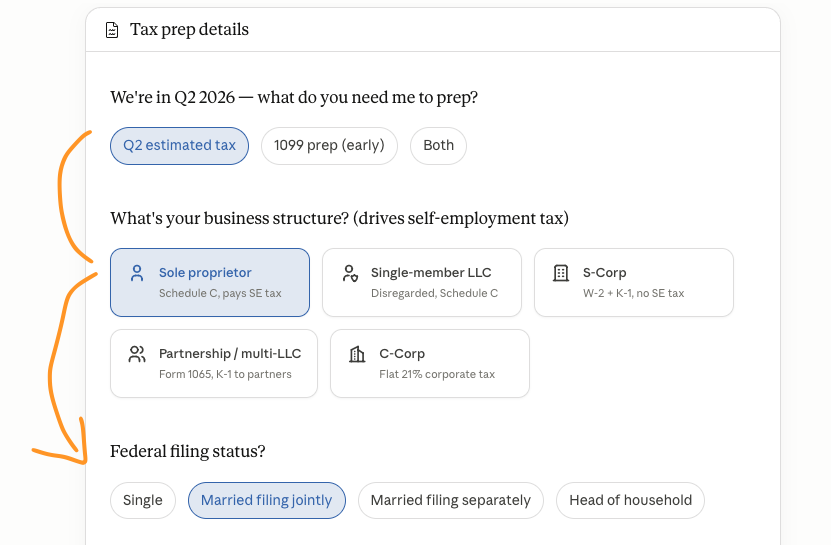
The intake form asked about:
|
| |
• Q2 estimated tax
• 1099 prep
• Schedule C, S-Corp, K-1
• Head of household filing status
|
| |
|
Every option, US tax code. No "where do you operate?" up front.
|
| |
|
I'm in Australia, so I don't follow a lot of this. If I'd kept going, the skill would have confidently produced US-shaped guidance for an AU sole trader. That's the failure mode I genuinely worry about with skills like this: confident outputs in the wrong frame.
|
| |
|
The intake UI itself is well-built. It's just narrowly built for 1 jurisdiction without disclosing that.
|
| |
|
If you're not US-based, skip until Anthropic adds jurisdiction-aware versions.
|
| |
|
For your team: if your business operates outside the US, skip this skill entirely. The intake will confidently take you down the wrong path. Anthropic will get jurisdiction-awareness right eventually, but not yet.
|
|
| |